Run your floor on one ledger
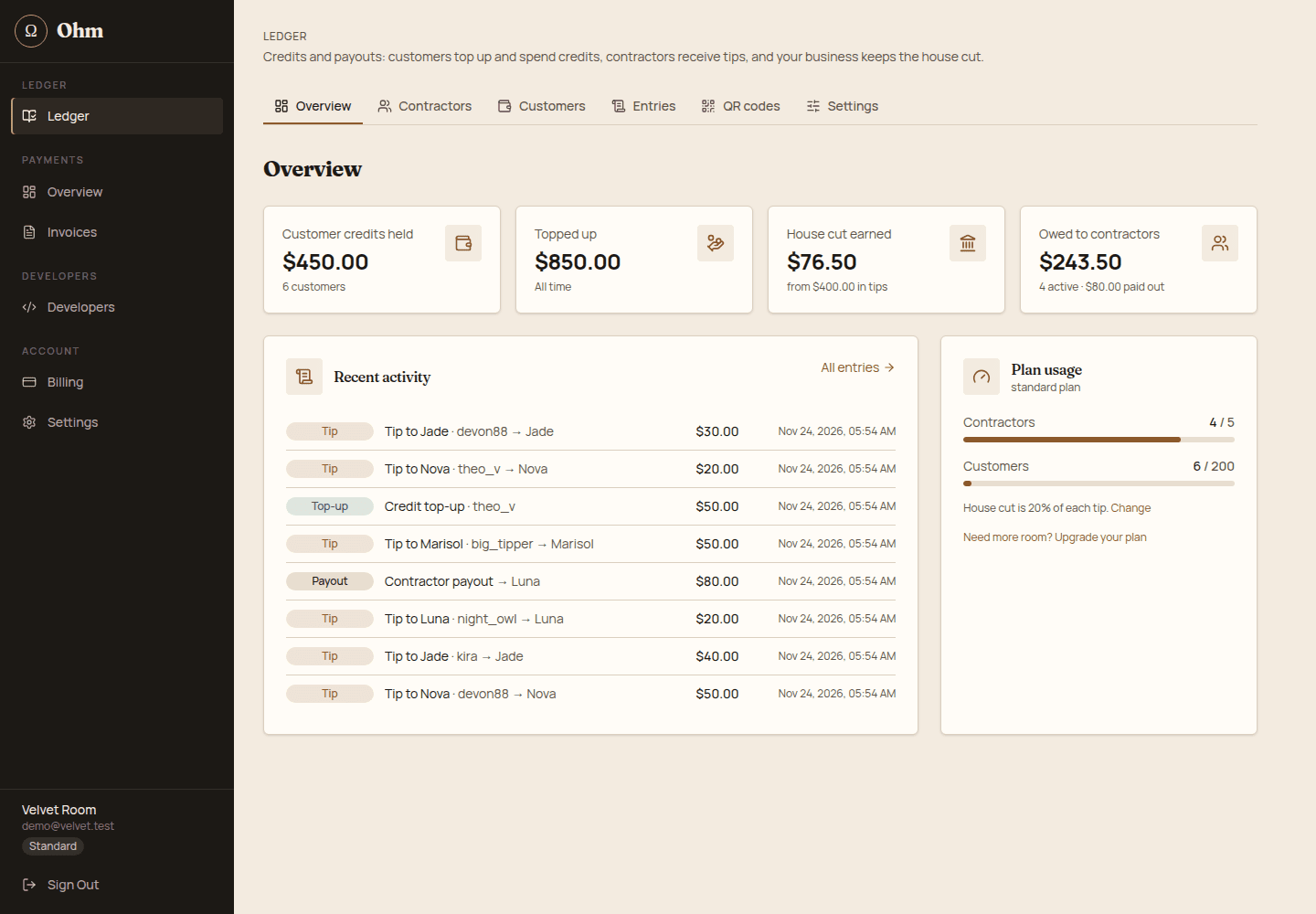
Customers top up credits and tip contractors by scanning a QR code. The house cut is taken automatically, payouts are recorded, and you can see every dollar on one book.
How a night works
Nobody installs an app or hands over an email. A phone camera is enough.
Post your top-up QR
Put the business QR code at the door or the bar. Every contractor gets their own tip QR code too.
Customers top up
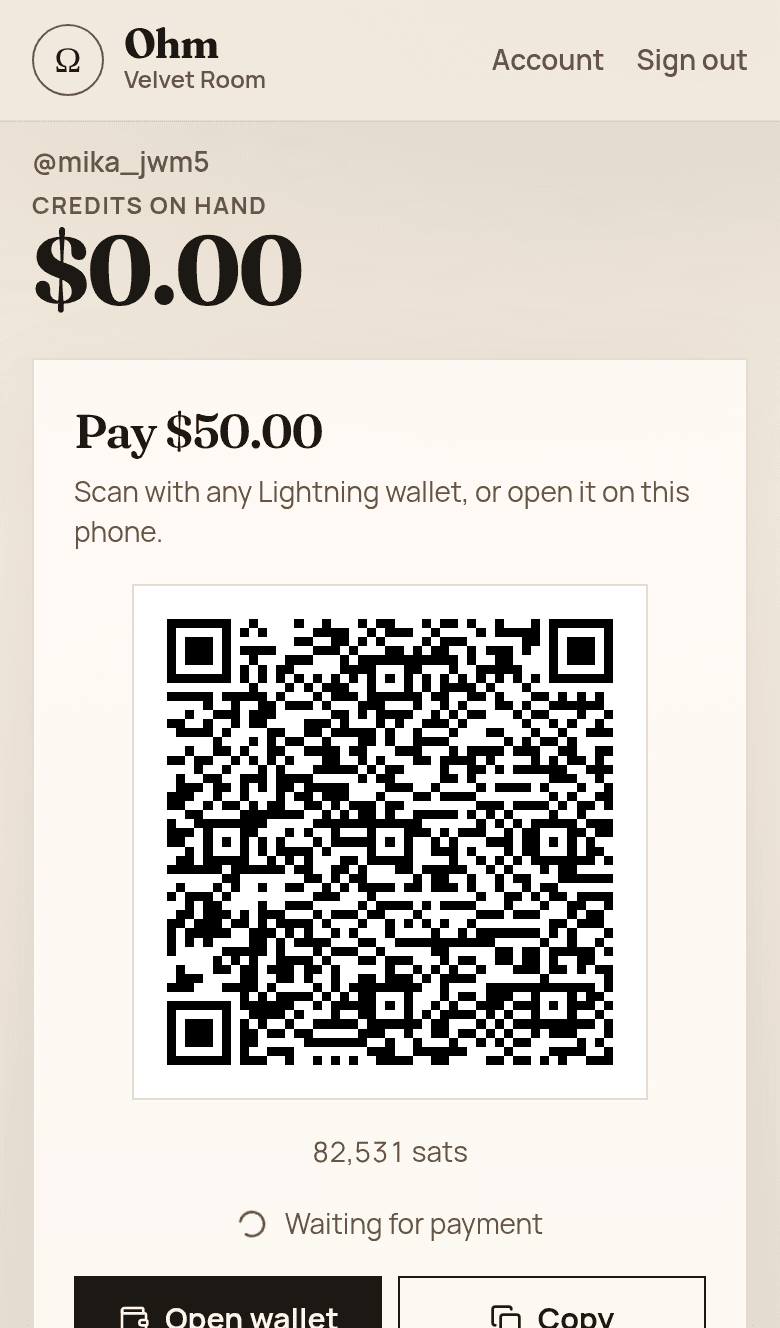
They scan with their phone camera, pick a handle, and buy credits with a Lightning invoice. Cash at the bar works too: you add the credits by hand.
They tip from credits
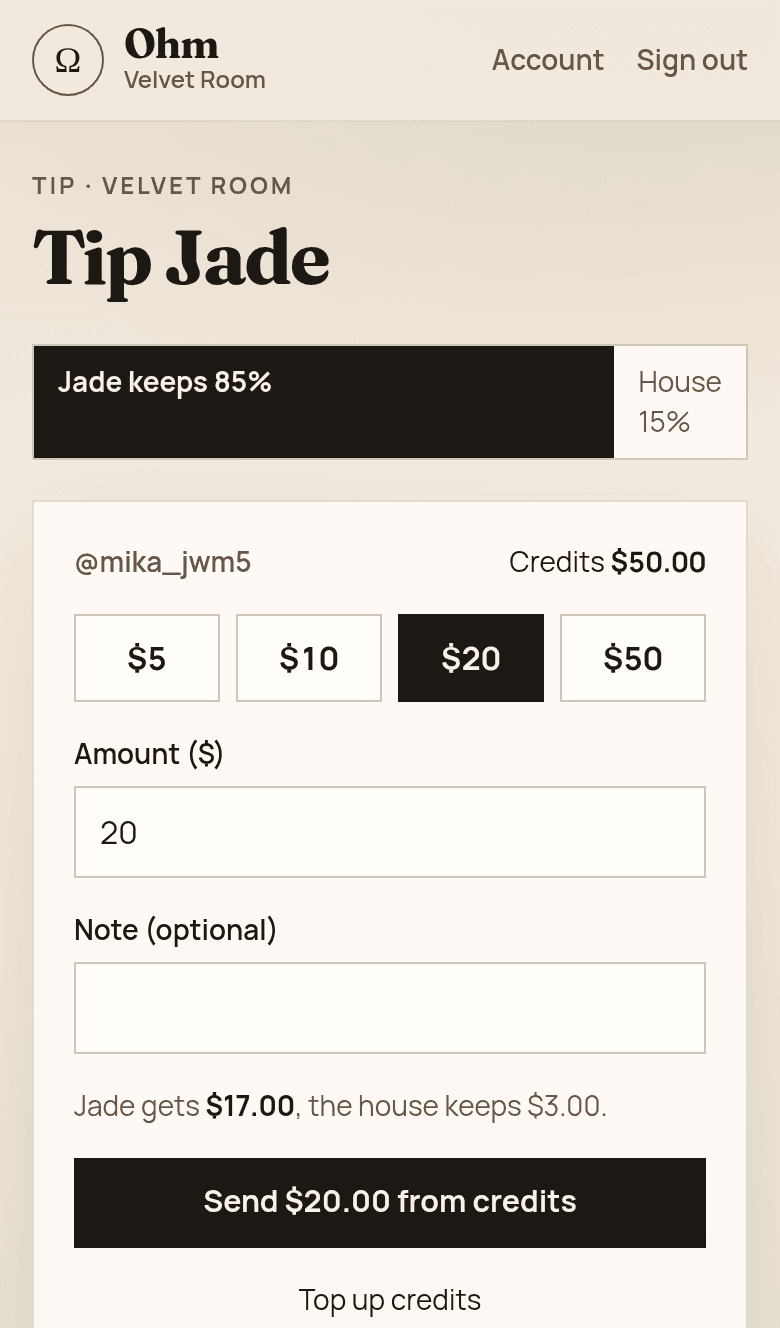
Scanning a contractor’s code opens a tip screen that shows exactly how the tip splits before they send it.
The split happens for you
Each tip is divided between the contractor and the house at that contractor’s rate, and both sides show up on the book instantly.
You settle up
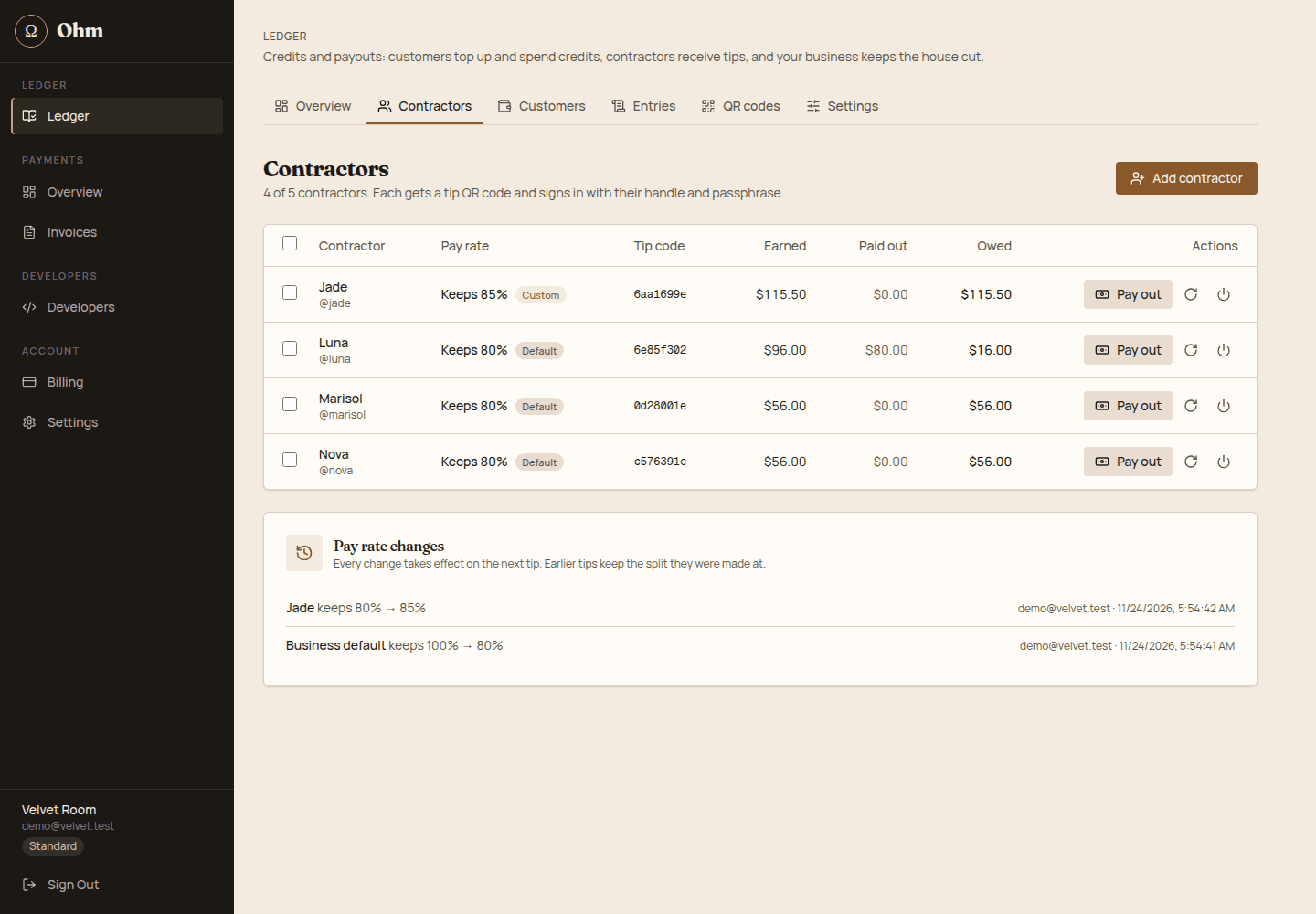
Record payouts when cash or sats leave the house. Ledger always shows what you still owe each contractor.
What customers and contractors see
Phone-first pages in your venue's name, from the moment they scan.
Built for the people running the floor
Lightning or cash top-ups
Offer top-up packages with set prices, accept any amount, or record cash by hand. Paid invoices credit the customer automatically.
Pay rates you control
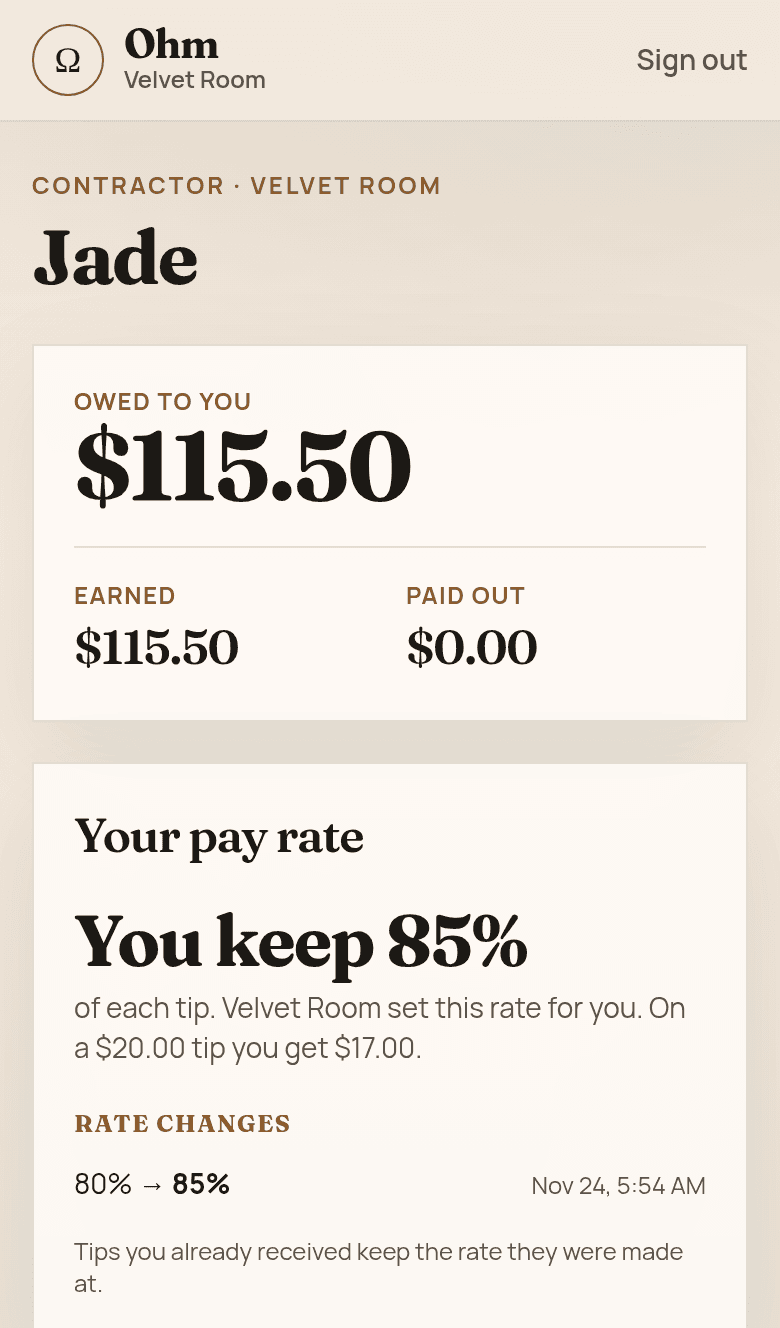
Change one contractor’s rate or many at once. Changes apply to the next tip, and every change is logged where the contractor can see it.
Every entry on one book
Top-ups, tips, house cut, payouts and adjustments in one list you can filter by type, with running totals on the overview.
QR codes ready to print
Download the business top-up code and each contractor’s tip code as a PNG. Codes stay the same, so prints keep working.
No email for customers
Customers join with a handle and passphrase, see their balance and history, and can delete their account at any time.
Contractors see their side
Contractors sign in to see tips, payouts, what they’re owed and their current pay rate, and to show their tip QR on the floor.
What Ledger is, and what it isn't
Ledger is a tracker and a payment rail. It doesn't calculate payroll, withhold taxes, classify workers, or act as employer of record.
Your business (or its merchant entity) is the merchant of record for live payments and stays responsible for contractor payouts, the house share, and tax compliance. Credits are balances your business issues for use at the venue, not bank deposits.