Where do you want to go?
I'm a customer
Add funds or tip someone. Scan the QR code at the venue with your phone camera, or enter its code.
Add funds or tipI'm a contractor
See your tips and payouts, and show your tip QR code.
Contractor sign-inIndependent? Start free, no business codeI'm a business
Run your floor, print your QR codes and take payments.
Business sign-inNew to Ohm? Create an accountRun your floor and take payments
without making crypto the pitch
Ohm gives venues one ledger for customer credits, contractor tips and payouts, and gives any business fast, final Lightning payments behind a clear checkout.
Ledger
Run your floor
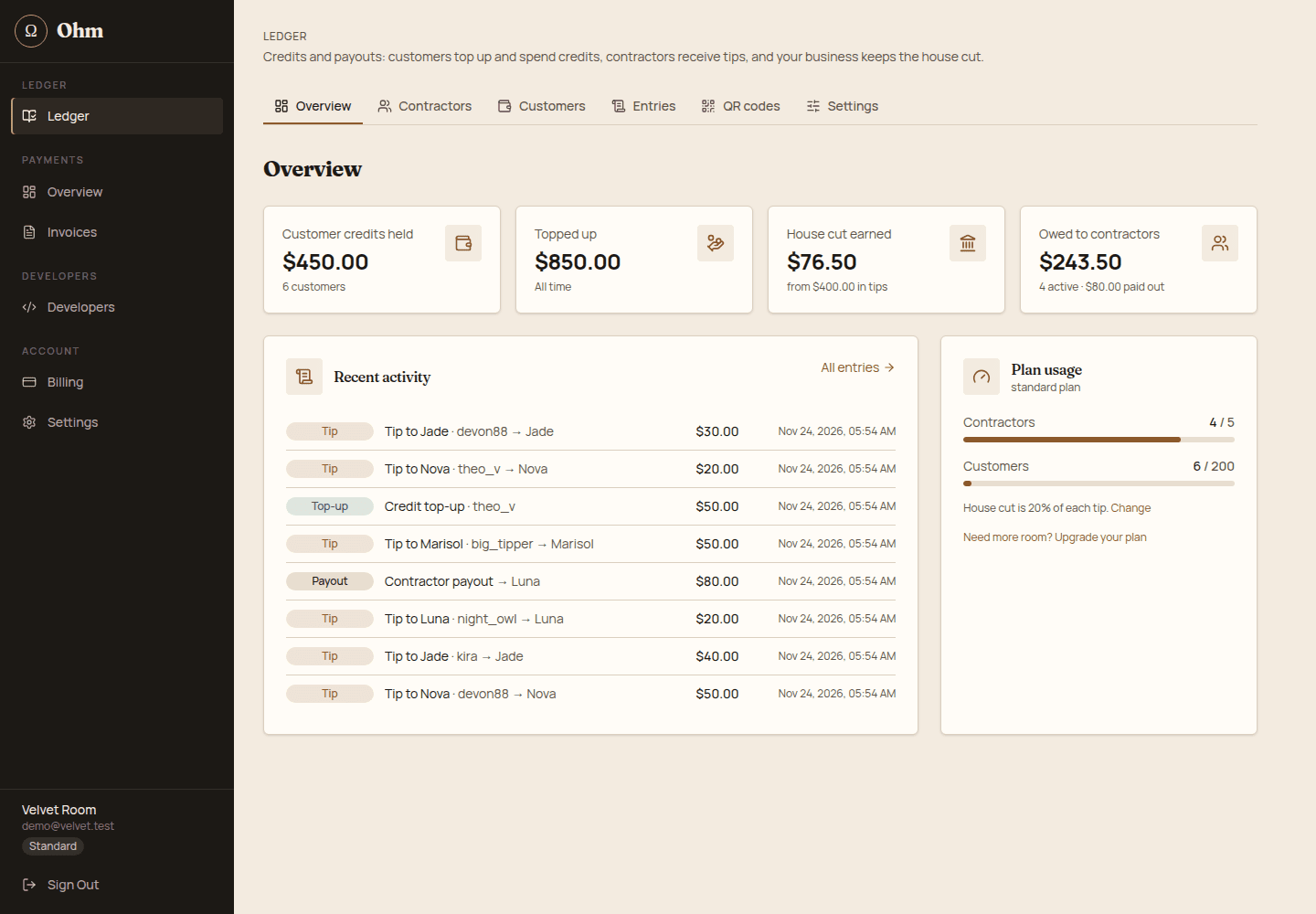
Customers top up credits from a QR code and tip contractors from their phones. You see every top-up, tip, house cut and payout on one book.
See how Ledger worksPayments API
Accept Lightning payments
Add Lightning to your checkout or invoices with a REST API and webhooks. Ohm runs the node, so your team never has to.
Read the developer guideLedger, in every plan
One book for the whole floor
Post one QR code at the door or bar and give each contractor their own. Customers scan to top up and tip; nobody installs anything.
- Top-ups by Lightning invoice, or cash you record at the bar
- Tips split automatically between the contractor and the house
- Set each contractor’s pay rate, one at a time or in bulk
- Record payouts and see what you still owe
- Customers and contractors see their own balance and history
Payment tools that feel less intimidating
Ohm keeps the Bitcoin and Lightning complexity behind the scenes, so your business can focus on clear checkout, reliable settlement, and customer trust.
Clear Payment Requests
Create simple requests with familiar amounts, notes, and statuses your customers can understand.
Live Payment Updates
See when a payment is pending, paid, or expired without chasing screenshots or manual confirmations.
Fast Settlement
Move money in seconds instead of waiting through card delays, bank windows, or chargeback periods.
Final Payments
Lightning payments are final once settled, helping reduce chargeback exposure and billing uncertainty.
Global Reach
Support clients and creators across borders with a payment rail that is not tied to one bank network.
Managed Infrastructure
Use Ohm’s hosted setup to get started, with options for deeper control as your needs grow.
A product experience people can picture
Ohm gives each person the level of detail they need: customers get a clear request, teams get payment visibility, and developers get events they can connect.
Customer view
Payment request
Amount due
$248.00
Design retainer
Business view
Payment activity
Open
3
Settled today
18
Avg. settle
11s
Invoice #1048 created
Open payment request
Payment settled
Customer paid in full
Webhook delivered
Order marked paid
How Ohm payments work
A straightforward flow your team can explain without a crypto glossary.
Connect Ohm
Create an account, subscribe, and have a developer connect payment requests to your checkout, invoice, or internal workflow.
Send a clear request
Give customers a simple amount and memo while Ohm handles the Lightning invoice behind the scenes.
Know when it settles
Your dashboard and integrations update as soon as the payment is complete.
How to add Ohm to another website
Ohm is a REST API, like Stripe—not a paste-in Shopify button. A developer (in-house or hired) wires it into checkout. They do not need to run a Lightning node.
Create an account and subscribe
Register on Ohm, then pay Standard ($99) or Growth ($499) so the API key unlocks. The $5 test invoice only confirms Lightning checkout.
Keep the key on your server
Put the API key in backend environment variables. Never put it in a browser, mobile app, or public repo.
Create an invoice at checkout
When the customer is ready to pay, your server asks Ohm for an invoice with the amount, a memo, and your order id.
Show a QR or wallet button
Ohm returns a Lightning invoice string. Your page shows a QR code or “Open in wallet,” the same idea as Ohm Billing.
Wait until it is paid
Poll invoice status, or set a webhook so Ohm tells your server when it settles. Then mark the order paid.
Ship with your developer
A developer who has done checkout before can usually do a first integration in hours to a couple of days. Point them at the Integration guide.
Simple, transparent pricing
Every plan includes Ledger, and paid plans add the payments API. Independent contractors start free on Solo.
Solo
Ledger: 1 contractor, Lightning tips only
No API access
For independent contractors
Standard
Ledger: 5 contractors, 200 customers
1,000 API requests/mo
5% tx fee
Growth
Ledger: 25 contractors, unlimited customers
10,000 API requests/mo
2.5% tx fee
Enterprise
Ledger: Unlimited contractors and customers
Unlimited API requests
Custom tx fee, typically 1%